
Designed around your clip
Your guest. Your branding. A cover for every clip.
Create branded AI thumbnails using guest photos, logos and your creative direction. Generate a batch with a distinct title and design for each clip.
BeforeA frame from the interview
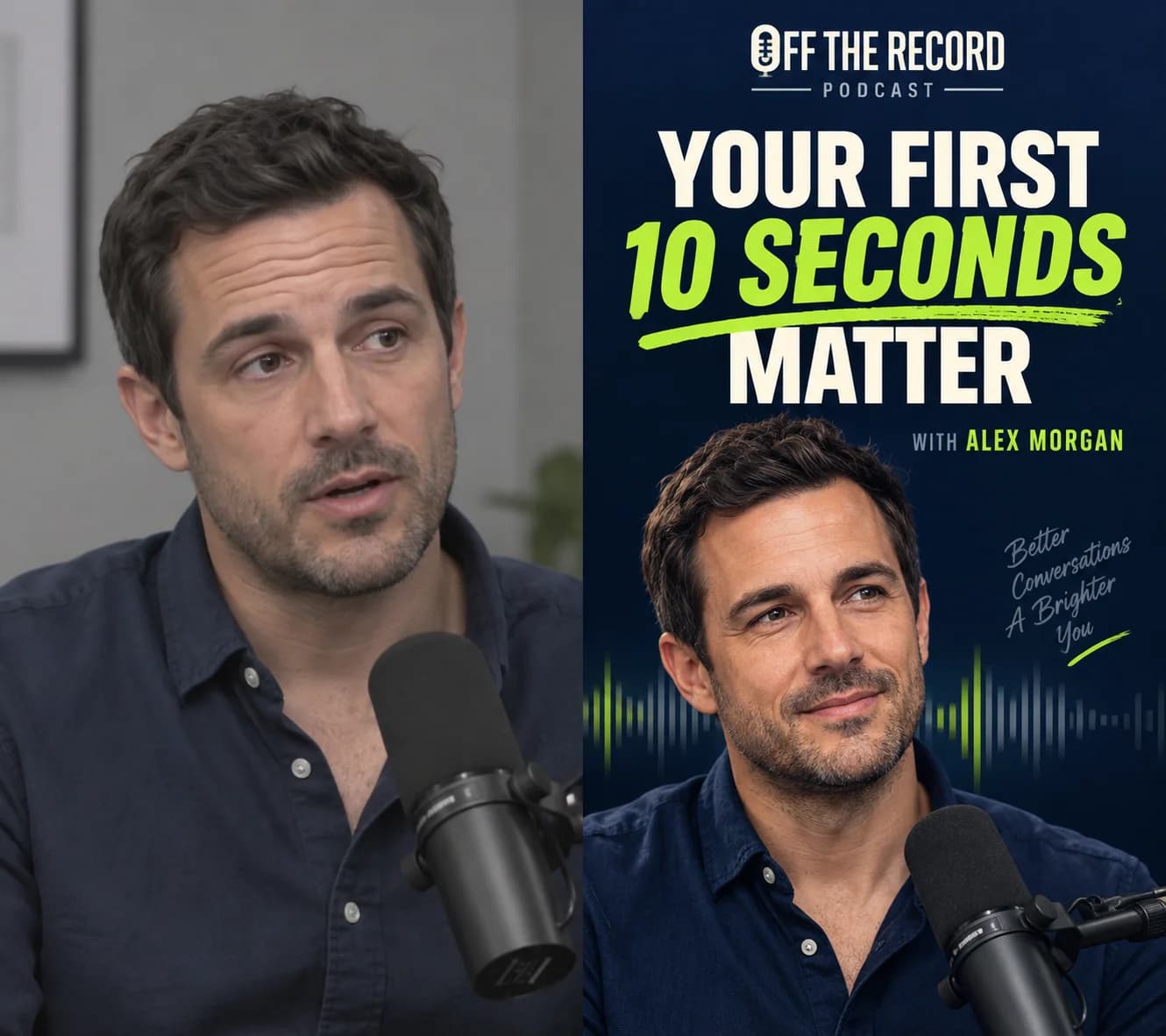
AfterA cover designed for the clip
What changes
Give viewers a clear reason to watch before they press play.How it works
Clear enough to use on the first campaign.
Plan the look
Supply guest photos, podcast branding and style references. Set the direction so the design belongs to your show.
Make each cover specific
ClipPush uses each clip's content to prepare its own headline and visual brief. Shared branding keeps the set recognisable while each cover tells a different story.
Generate in batches
Select multiple clips and create their covers together. Review the results, refine individual thumbnails or choose a frame from the original clip.
A planned first impression
The same guest, a clearer reason to watch
A plain interview frame becomes a vertical cover with the guest's photo, podcast branding and a title about the clip's opening advice. Other clips get their own headlines and designs.Keep exploring
Features that work with this one.
Ready for the next batch?