
Podcasting
A good listener question deserves more than a heart.
A listener tells you exactly where an explanation lost them. You tap the heart and carry on planning the next interview. There might be a better use for that comment.

Imagine a gardening podcast has just published an interview about growing food in small spaces. The host asks what everyone thought. A few listeners say they enjoyed it. One asks how any of the advice applies to a rented balcony where nothing can be fixed to the walls.
That last response is an editorial opening. It identifies a constraint the interview didn't properly address. You could answer it briefly, ask the guest for a clarification or build a useful follow-up segment around it. None of those decisions requires a second full series about balconies.
Spotify's current comment tools give podcasters several ways to find and organise these exchanges. The interesting part isn't collecting more reactions. It's noticing a question specific enough to improve the programme, then doing something with it while the conversation still matters.
Start with the tools that are there now
Spotify's current support guidance describes threaded listener replies, creator comments and pinning, plus filters including 'Contains a question'. Creators can read threads through its web and mobile apps. These are existing features, checked on 23 November 2026, rather than a newly announced launch. [Spotify: reading, approving and reacting to comments]
For a small show, I'd use the question filter as a starting point, then read the surrounding conversation. A question can be useful even when it hasn't attracted many reactions. A popular comment might be a joke that needs nothing more than a friendly response.
Keep this work close to the episode. Save its title and link with any question you want to revisit. A folder full of screenshots called 'good feedback' is wonderfully encouraging until you need to work out which interview they refer to.
There is no need to establish a presence on every platform that offers comments. Start where your show already receives useful replies. If most listeners contact you through an existing newsletter or community, the editorial approach below works there too.
Ask about something the episode can help with
'Any thoughts?' gives the listener a blank page. So does 'What should we talk about next?' Someone who has just finished the episode may have a much more useful response to a narrower question.
For our hypothetical gardening interview, try asking which small-space constraint the conversation didn't cover. A listener can answer that without composing a review of the entire show. It also gives you something to bring back to the guest.
Make the invitation clear in the recording as well as in the episode's comment area. Tell people which question you're asking and where you will read the responses. Avoid promising a personal answer to everyone if your production schedule won't support it.
| Vague invitation | A more useful editorial question |
|---|---|
| Did you enjoy the episode? | Which part of the explanation would you like us to go through more slowly? |
| Who should we interview? | Who could explain the rented-balcony problem we didn't resolve? |
| What should we cover next? | What stopped you trying the approach discussed in this episode? |
These questions are examples, not lines to paste beneath every interview. Choose the one your episode earns. A discussion of a film's ending may call for a quite different invitation from a practical gardening programme.
Read before you react
On Spotify, reacting or replying to a comment also approves it and makes it visible on the episode page. Its moderation guidance explicitly says that responding to a blocked comment publishes it too. That makes a quick reassuring reaction a publication decision, not merely a private acknowledgement. [Spotify: how comments are moderated]
Before responding, read the whole comment. A thoughtful question can contain a private detail about someone else, an allegation you can't check or a passage you wouldn't choose to put in front of your audience. Don't approve it simply because you want to thank the person who wrote it.
Spotify offers Low, Standard and High moderation levels. Standard holds potentially harmful or inappropriate comments for review; High holds all comments for review. Check the setting for your show and decide who will deal with the review queue. [Spotify: how comments are moderated]
This doesn't need to become a second job. Set aside a manageable period after release to read what has arrived, handle anything urgent and save useful questions. If two people help with the show, agree who is responsible so a difficult comment doesn't sit between two people assuming the other has seen it.
A correction deserves a different response from an insult. Check a specific factual challenge against the recording and your sources before replying. You can acknowledge that you're looking into it without improvising an answer you may have to correct again.
Sort the work hiding inside the reply
Here are four invented responses to the gardening episode. They are examples of different editorial jobs, not comments from real listeners.
- 'I couldn't follow what the guest meant by root space.' This suggests an explanation may need a clearer example.
- 'Could you cover balconies where tenants can't attach anything?' This identifies a constraint worth exploring.
- 'The link to the guest's notes doesn't open.' This is a practical release problem to check and fix.
- 'Please turn the show into a daily programme.' This is a request, but it doesn't establish that a daily schedule is sensible.
Don't put everything into the next-episode ideas list. A broken link belongs in the release fixes. A missing definition may need a short clarification rather than another interview. Separating the jobs lets you respond properly without inflating every comment into a production commitment.
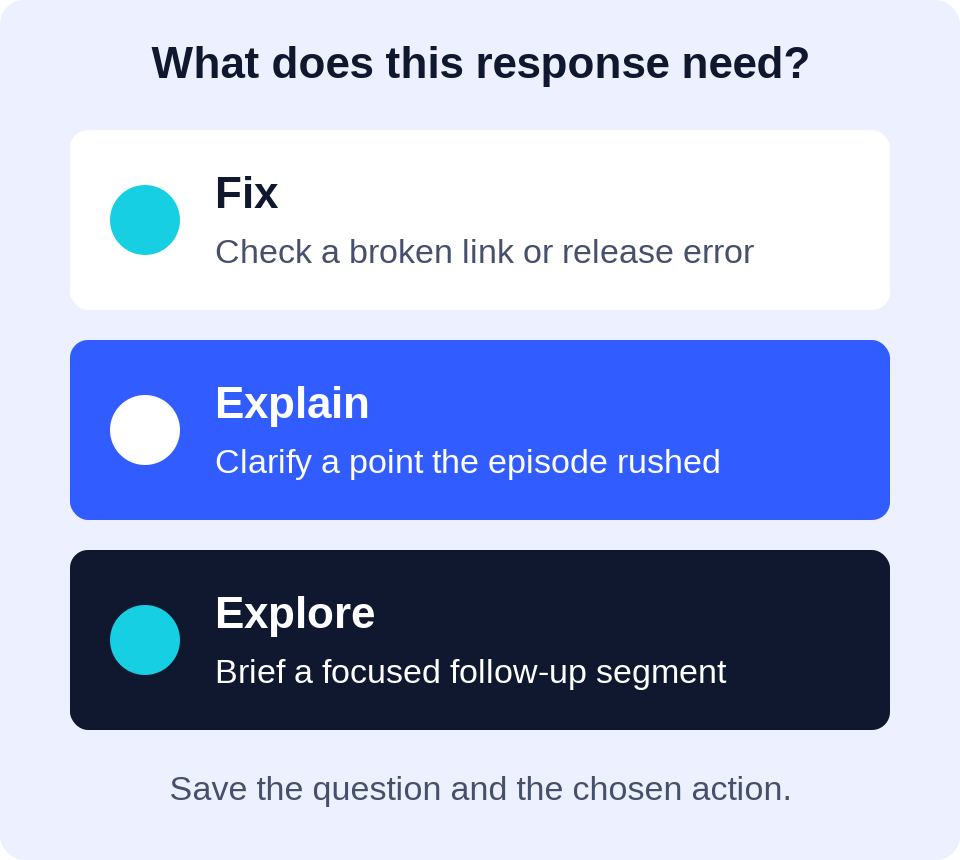
For a question worth developing, save a short note in your own words: the episode, the difficulty, the part of the conversation it relates to and a possible next action. Keep identifying details out of a general planning document unless you actually need them.
I'd rather see five clear questions with proposed actions than forty copied comments waiting for someone to discover a theme. The planning document should reduce the next decision, not preserve the entire comment section.
A useful question isn't a vote from everyone
One listener's difficulty can reveal a gap worth fixing. It doesn't tell you how common that difficulty is among everyone who heard the programme. The people who write comments have chosen to speak; the rest haven't cast a silent vote in favour of whatever remains.
Suppose several replies ask for a more advanced gardening episode. Before changing the whole show, consider what you can actually conclude. You have some interested listeners and a plausible topic. You don't yet know whether your quieter beginners want the same thing.
A modest response would be to make one clearly labelled advanced segment, then ask what it clarified and what it assumed. Keep the beginner explanations elsewhere in the programme. That gives you something specific to learn from without making a permanent editorial change on the strength of a few replies.
If you have a defined choice to put to listeners, Spotify supports one poll per episode, with between two and seven answers and an option to allow multiple selections. You can set when the poll appears. The current instructions place poll creation under Comments, then Polls. [Spotify: how to use polls]
Use that choice carefully. A poll asking whether people want a balcony follow-up or a seed-starting follow-up only tells you about those offered options among the people who answer. It won't explain why someone chose one, and it doesn't include people who never saw the question.
Pair the poll with a place for explanation when that would help. Record the wording and the response count with the result. 'Balconies won' is much less useful six weeks later than a note about what was asked, who could see it and how many people responded.
Ask before moving someone's words elsewhere
A public comment may feel informal to the person who wrote it. Reading it aloud in an episode, putting their name on a promotional graphic or using their story to sell the show changes the context.
My editorial recommendation is to ask before identifying a listener or reusing a personal account in another public channel. Explain where it will appear and whether you intend to use their exact words. Give them a straightforward way to decline without losing access to an answer.
If you just need to explain a recurring production question, a general paraphrase may be enough. Don't call something anonymous while leaving in a precise workplace, location or unusual incident that makes the person obvious to the audience.
Keep quotation and interpretation separate. If a listener asks how something works, don't recast their question as a glowing endorsement. Being pleased that someone engaged with the show doesn't make their uncertainty a testimonial.
There is also a simple courtesy towards guests. Send a useful follow-up question with enough context to answer it, rather than forwarding an entire thread and asking them to sort it out. Be clear whether you want a private clarification or a contribution you hope to publish.
Make the smallest follow-up that answers it
Return to the rented-balcony question. You could ask the gardening guest to explain which of their suggestions assumed permission to alter the space, then record a short follow-up about the alternatives they are qualified to discuss. Introduce the constraint clearly so the answer makes sense to someone who missed the first episode.
That is a tighter brief than 'our audience wants more gardening tips'. It gives the guest something concrete to prepare and the editor a way to judge whether the new segment has done its job.
Agree the scope before recording. A three-minute clarification can become a full afternoon of production if nobody decides what it needs to cover. Put the central question at the top of the brief and move unrelated suggestions to a separate list.
If the subject needs proper research or a different guest, say so when responding. It is better to explain that you're considering a topic than announce an episode you haven't found a way to make.
And sometimes the answer is already in the programme. Point a listener to the relevant passage, with a useful explanation of what they will find there. Then consider whether the chapter title or show notes made that passage unnecessarily difficult to find.
Let listeners hear what happened next
When you publish a follow-up, name the question it addresses. If you have permission to credit the listener, do so in the agreed form. Otherwise explain the problem without identifying them. Include a link back to the original conversation when it provides useful context.
Keep a small record of the outcome: question received, action taken, where the answer appeared. This helps the next person reading the comments avoid reopening a problem the show has already dealt with.
You don't need to turn the closing minutes into an announcement about how well you listen. A clear answer is more persuasive. Start with one specific question from the latest episode and decide what it needs: a fix, a better explanation or a follow-up. Then make room for the answer.
Sources and further reading
- Spotify: reading, approving and reacting to comments
Published Current support guidance; no publication date displayed. Checked in the built-in browser on 23 November 2026. Describes threads, pinning, question filters and creator responses. An older resource that describes single replies is not used for current functionality.
- Spotify: how comments are moderated
Published Current support guidance; no publication date displayed. Checked in the built-in browser on 23 November 2026. Includes moderation levels and the public effect of reacting or replying. Advice about handling listener material in this article is an editorial recommendation.
- Spotify: how to use polls
Published Current support guidance; no publication date displayed. Checked in the built-in browser on 23 November 2026. Supports the stated poll options and workflow. The examples and response scenarios are hypothetical, with no reported audience results.